
Appearance
04 — Staff Operations & 360° Underwriting Manual (crm.thebridgefinance.lk/crm/staff)
Underwriting Staff (staff) and Master Admins (master_admin) share the operational workspace (StaffPortalPage). Staff manage incoming leads, inspect Borrower 360° and Investor 360° dossiers, verify KYC files, configure loan sanctions and First EMI Due Date, record payments, reset/delete EMI schedules, coordinate consultation bookings, and manage live client chat.
1. Sidebar Navigation Overview
| Group | Item | Path / Hash | Description |
|---|---|---|---|
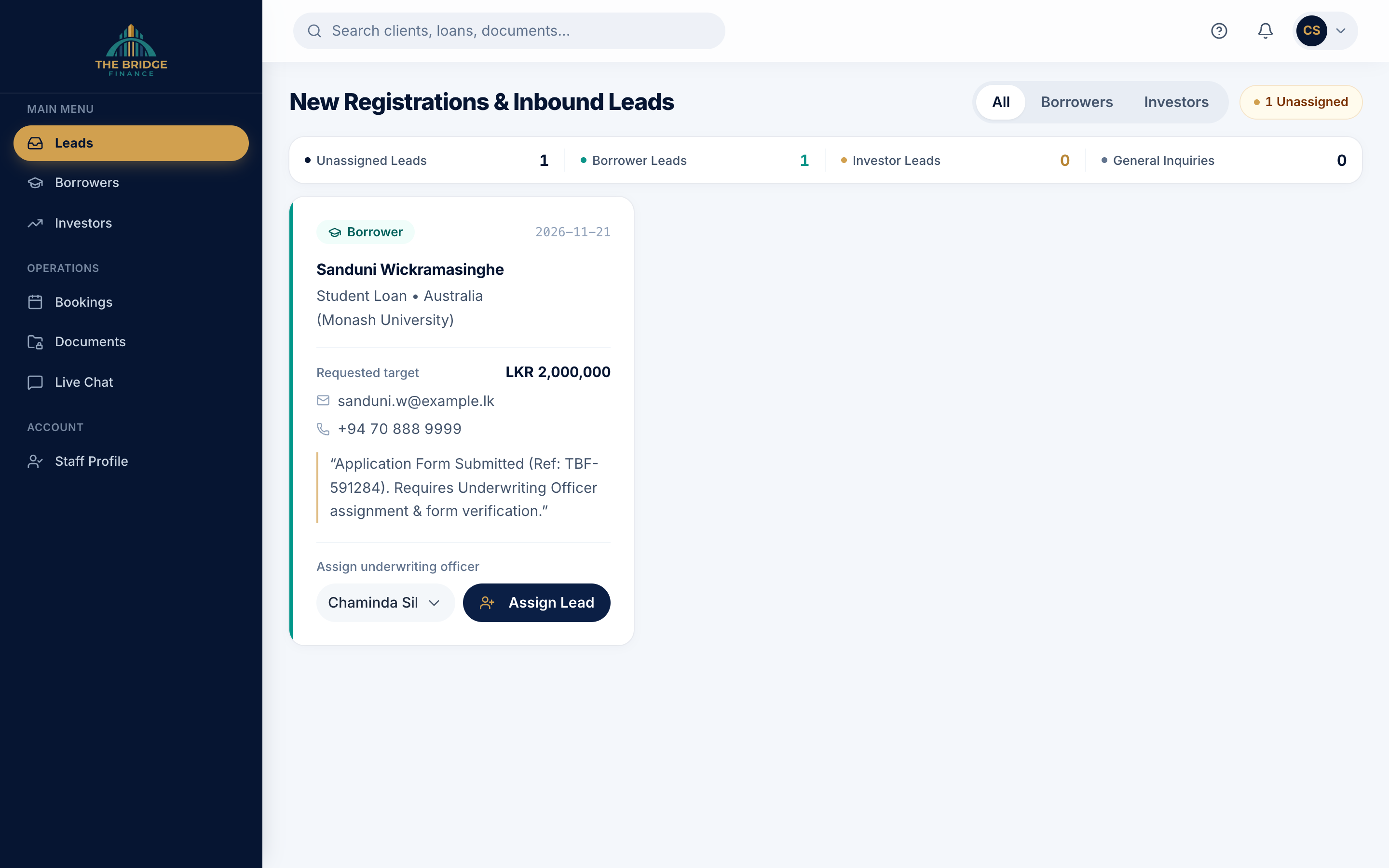
| MAIN MENU | Leads | /crm/staff | Unassigned borrower and investor registrations (All, Borrowers, Investors filters) |
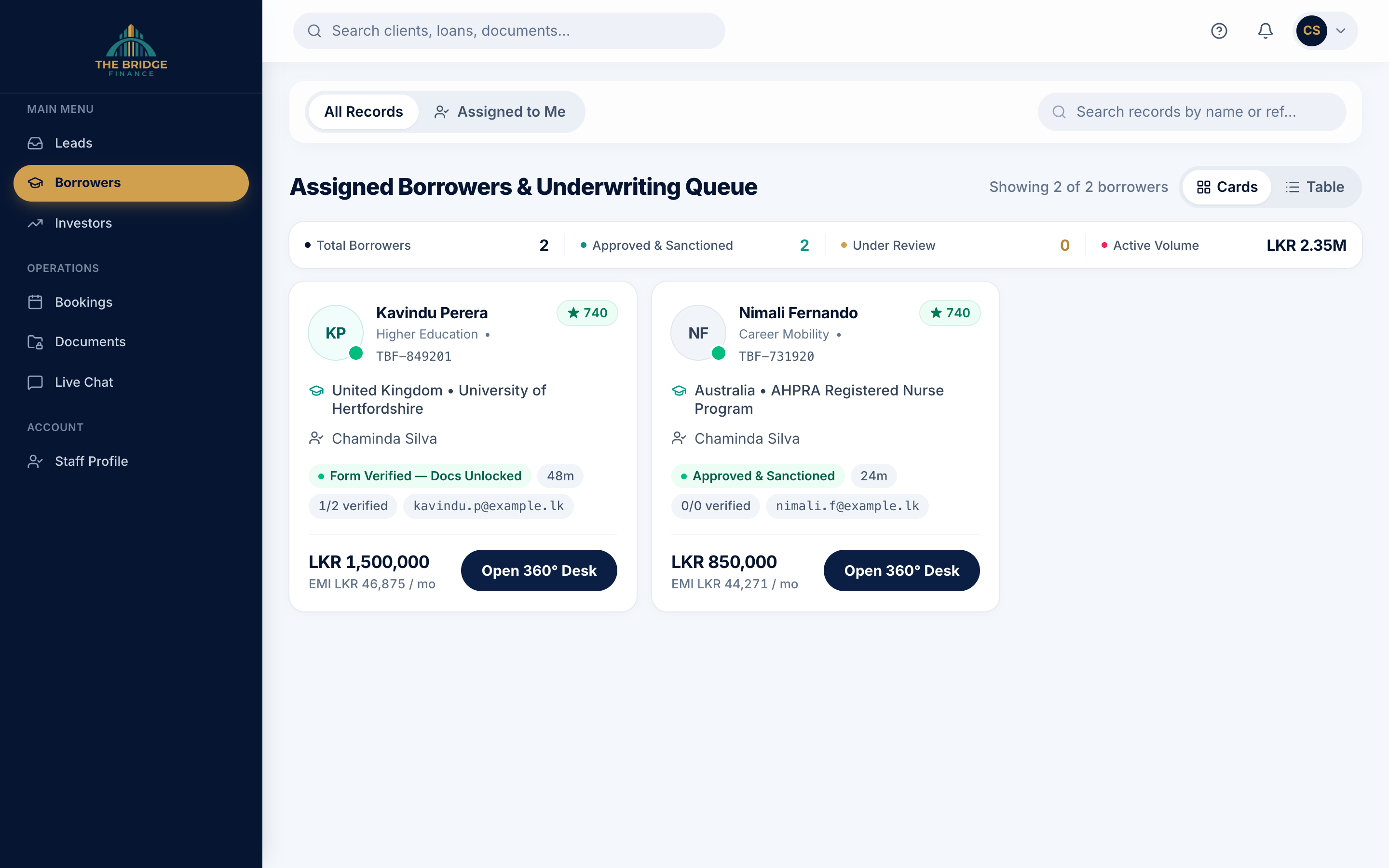
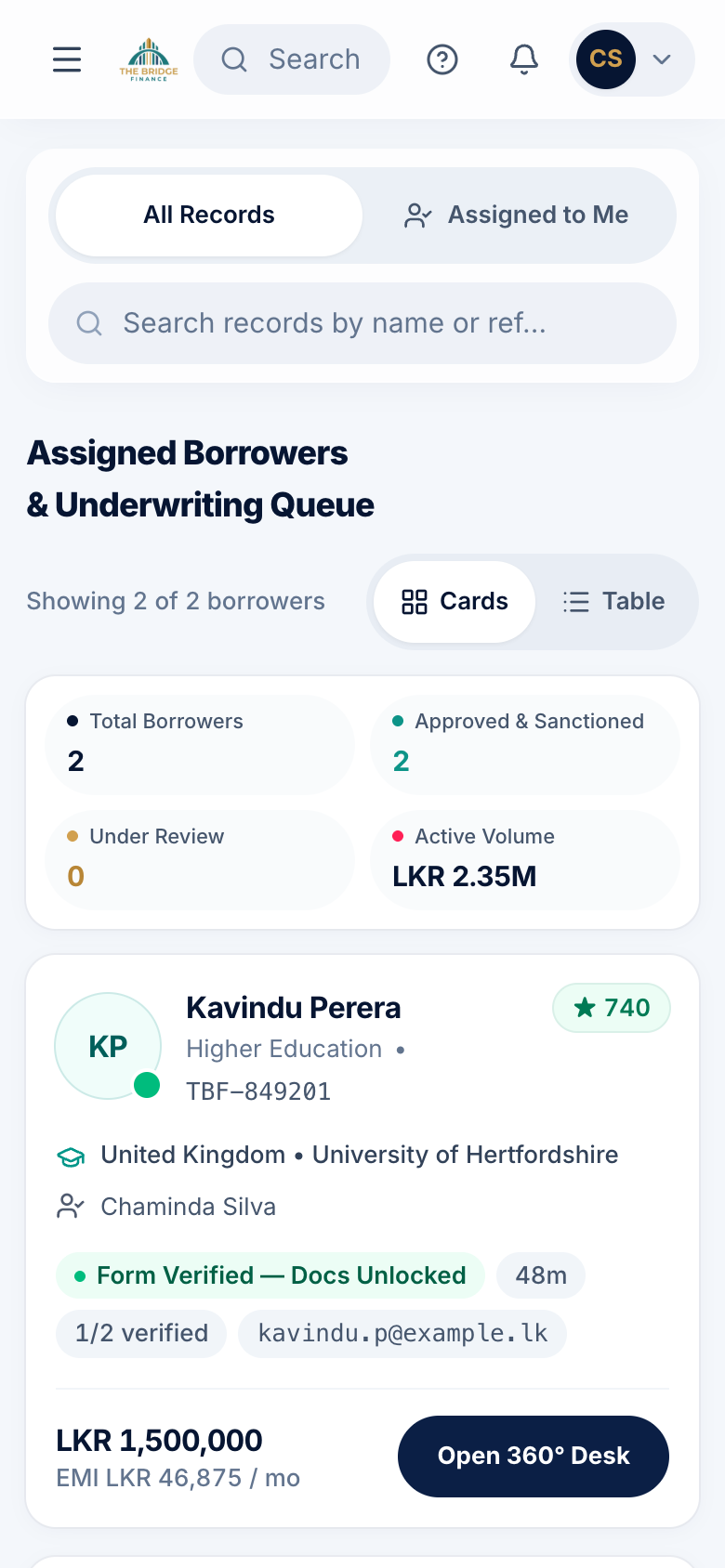
| MAIN MENU | Borrowers | /crm/staff#borrowers | Assigned borrower underwriting queue (Table / Cards toggle, All vs Assigned to Me) |
| MAIN MENU | Investors | /crm/staff#investors | Assigned investor mandate queue (Table / Cards toggle, All vs Assigned to Me) |
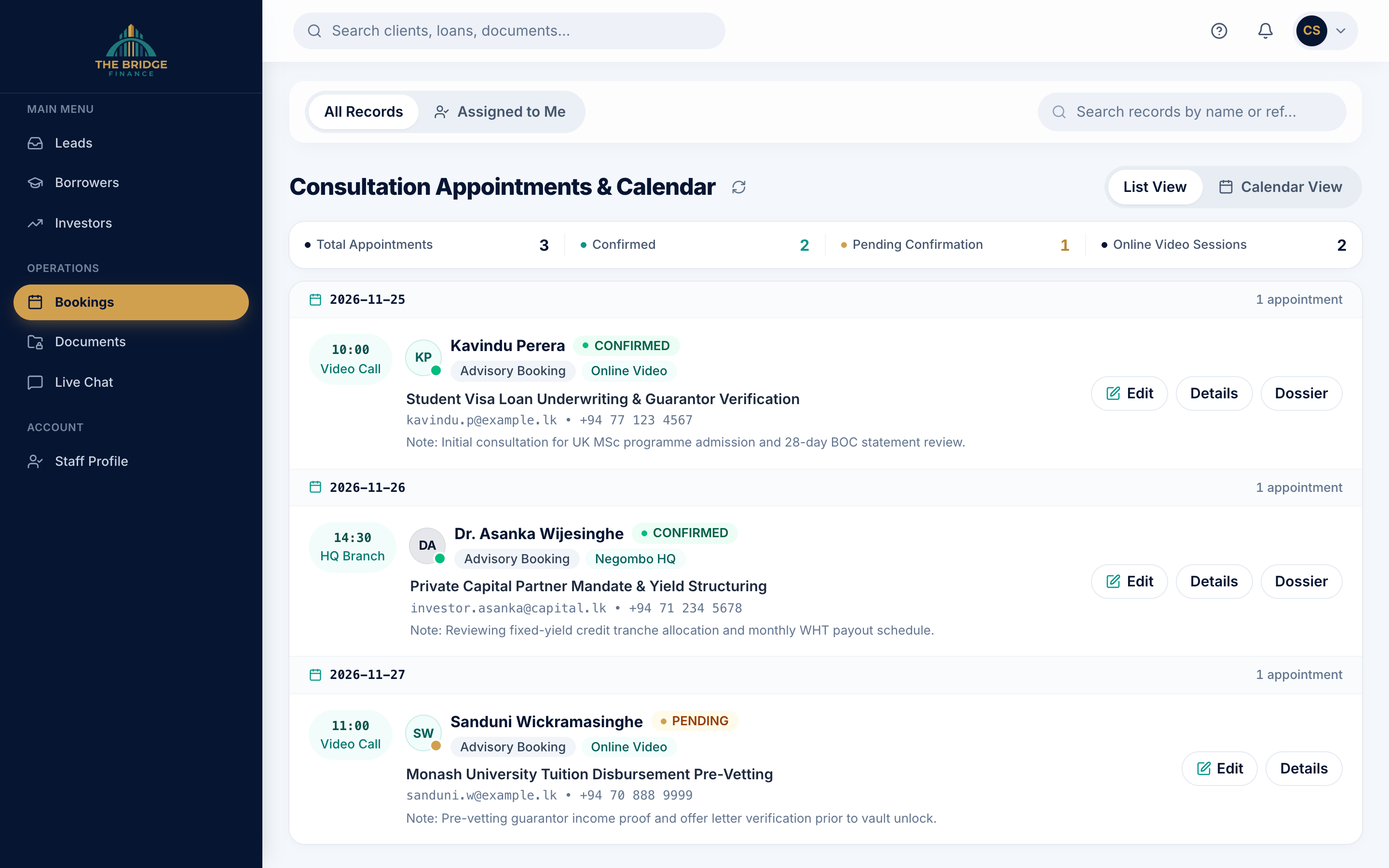
| OPERATIONS | Bookings | /crm/staff#bookings | Consultation schedule in List and Calendar views (Total Appointments, Confirmed, Pending Confirmation, Online Video Sessions) |
| OPERATIONS | Documents | /crm/staff#documents | Cross-client KYC Document Vault (Table / Cards toggle, status filters: All, Pending, Approved, Rejected) |
| OPERATIONS | Live Chat | /crm/staff#chat | Unified borrower and investor conversation inbox with unread indicators |
| ACCOUNT | Staff Profile | /crm/staff#profile | Officer public credentials, bio, avatar, and Consultation Availability Timetable |
(Note: When logged in as master_admin, these exact workspaces live under /crm/admin#leads, #borrowers, #investors, #bookings, #documents, #chat, and #profile.)
2. Lead Assignment Queue (Leads)
- Open Leads (
/crm/staff). Filter byAll,Borrower, orInvestor, or use the top search bar. - Click Assign to Me (or choose an officer in the assignment action) to claim a lead (
POST /api/crm/leads/assignor/api/leads/:id/assign). - Assigned borrower leads move to Borrowers; assigned investor leads move to Investors.
3. Borrower 360° Dossier (Borrowers)
Click Open 360° Desk on any borrower row to open their full 8-tab dossier (or Edit Loan & Officer in the top action bar to reassign officer or adjust loan metadata). All list desks default to Cards View with a Cards | Table toggle for desktop and responsive mobile triage:
| Tab | ID | Operational Actions |
|---|---|---|
| 1. Profile | profile | View KYC readiness, identity fields, guarantor details, and verified Settlement & Disbursement Bank Account card |
| 2. Application Form | application | Inspect all submitted 4-step loan details; click Verify Form & Unlock Vault (form_verified), Request Corrections (moreInfo), or Decline (rejected) |
| 3. Documents | documents | Preview uploaded R2 documents inline (DocumentPreviewModal), download files, and Approve or Reject with reviewer notes |
| 4. Live Chat | chat | Send messages directly into the borrower's Officer Messages inbox |
| 5. Bookings | bookings | View borrower's appointments; Edit date/time/meeting link, Confirm, or Cancel |
| 6. Loan Terms | agreement | Review fixed/subsidized facility terms, grace period notes, and direct disbursement rules |
| 7. Decision & Sanction | approval | Configure Sanctioned Principal, Tenure, APR %, and First EMI Due Date; approve & generate schedule; or Reset / Delete EMI Schedule |
| 8. EMI Schedule | repayments | Track every installment (#1..#N), click Mark as Paid, or click Reset / Delete Schedule |
Configuring Loan Sanction & Custom First EMI Due Date
- Open the borrower's Decision & Sanction tab.
- Set the four underwriting parameters:
- Sanctioned Principal (LKR) (step
50,000) - Tenure (Months) (
6–60months) - Interest Rate (APR %) (
5–30%) - First EMI Due Date (
YYYY-MM-DD, usingEnglishDateInput; defaults to one calendar month from today)
- Sanctioned Principal (LKR) (step
- Verify the live banner:
- Estimated Monthly EMI Amortization: Displays computed monthly LKR installment.
- Schedule Preview: Shows exact span (
First Due Date → Last Due Dateand installment count). - Due dates use pure calendar arithmetic with month-end clamping (for example,
2027-01-31→2027-02-28→2027-03-31, or2028-02-29in a leap year) without UTC timezone drift. - Invalid dates (such as
2027-02-30) display an inline error and block approval.
- Click Approve Loan Facility & Generate EMI Schedule. The loan moves to
Approved & Sanctionedand persists the schedule to D1 (applications.repayments_jsonandcrm_emi_schedules).
Marking Installments Paid
- Switch to EMI Schedule (
borrower-tab-repayments). - Click Mark as Paid on any
Scheduledinstallment row. The badge updates toPaid (YYYY-MM-DD)and updates borrower receipts and balance.
Resetting & Permanently Deleting an EMI Schedule
Whenever a borrower has generated installments (repayments.length > 0), Reset / Delete EMI Schedule (Decision & Sanction tab) and Reset / Delete Schedule (EMI Schedule tab header) become available:
- Click Reset / Delete EMI Schedule.
- A confirmation dialog (
Reset & Delete EMI Schedule?) displays:- Total number of installments to be permanently deleted.
- An explicit warning if any installments are already marked Paid.
- Notice that an
Approved & Sanctionedloan reverts to Under Review.
- Click Reset & Delete Schedule (or Cancel to abort safely).
- On confirmation:
repaymentsclears to[],monthlyEmiLkrresets to0, andapprovedreverts toin_review(Under Review).- D1 (
applications.repayments_json = '[]'andcrm_emi_schedules), in-memory stores, and browserlocalStoragecaches are purged so deleted schedules never resurrect on reload. - You can immediately adjust sanction terms and generate a new schedule.
4. Investor 360° Dossier (Investors)
Click Open 360° Desk on any investor row to access all 10 tabs:
- Profile: Investor contact details, reference number (
INV-XXXXXX), and settlement bank details. - Application & Mandate: Review submitted capital application details, payout frequency, and organisation notes.
- Documents: Preview and verify investor KYC files.
- Live Chat: Message the investor directly.
- Bookings: Manage investor consultations.
- Contract Terms: Review mandate pool and regulatory payout terms.
- Income Plan & Payouts: Set Mandate Principal (LKR), Target APY (%), and Tenure (Months), click Approve Mandate & Generate Payout Schedule (computes gross monthly yield minus 5% Sri Lankan WHT), and click Mark as Paid to mark monthly payouts as
Disbursed. - Contract Changes: Approve or reject contract modification requests.
- Reduction Requests: Approve or reject partial capital reduction requests (automatically adjusts active portfolio value when approved).
- Exit & Withdrawals: Approve or reject full exit requests (marks contract
Cancelledupon approval).
5. Bookings, Documents, Chat & Availability Settings
- Bookings Desk (
/crm/staff#bookings): Toggle between List and Calendar views, edit date/time/channel (Online VideovsNegombo HQ In-Person) and meeting link, or update status (Confirmed/Cancelled).
- Documents Desk (
/crm/staff#documents): Filter all client uploads by status, inspect files withDocumentPreviewModal, and approve/reject inline. - Live Chat (
/crm/staff#chat): View all client threads sorted by recent activity; replying automatically assigns unassigned leads if applicable. - Staff Profile (
/crm/staff#profile):- Update Officer Public Credentials (
Full Legal Name,Corporate Title,Phone,Email,Bio, avatar). (Internal DB IDs such asusr_admin_initialare intentionally hidden from this screen.) - Configure Consultation Channel Mode (
Both,Video Call Only, branchIn-Person Only) and weekly Monday–Saturday time slots (PUT /api/crm/staff/availability), which control available booking slots on/crm/onboarding.
- Update Officer Public Credentials (